> For the complete documentation index, see [llms.txt](https://docs.petal.build/petal-pro-documentation/llms.txt). Markdown versions of documentation pages are available by appending `.md` to page URLs; this page is available as [Markdown](https://docs.petal.build/petal-pro-documentation/v2.2.0/fundamentals/stripe-billing.md).
# Stripe billing
Easily add payment plans to your web app with our Stripe integration (v1.7.0 onwards).
## The Stripe schema
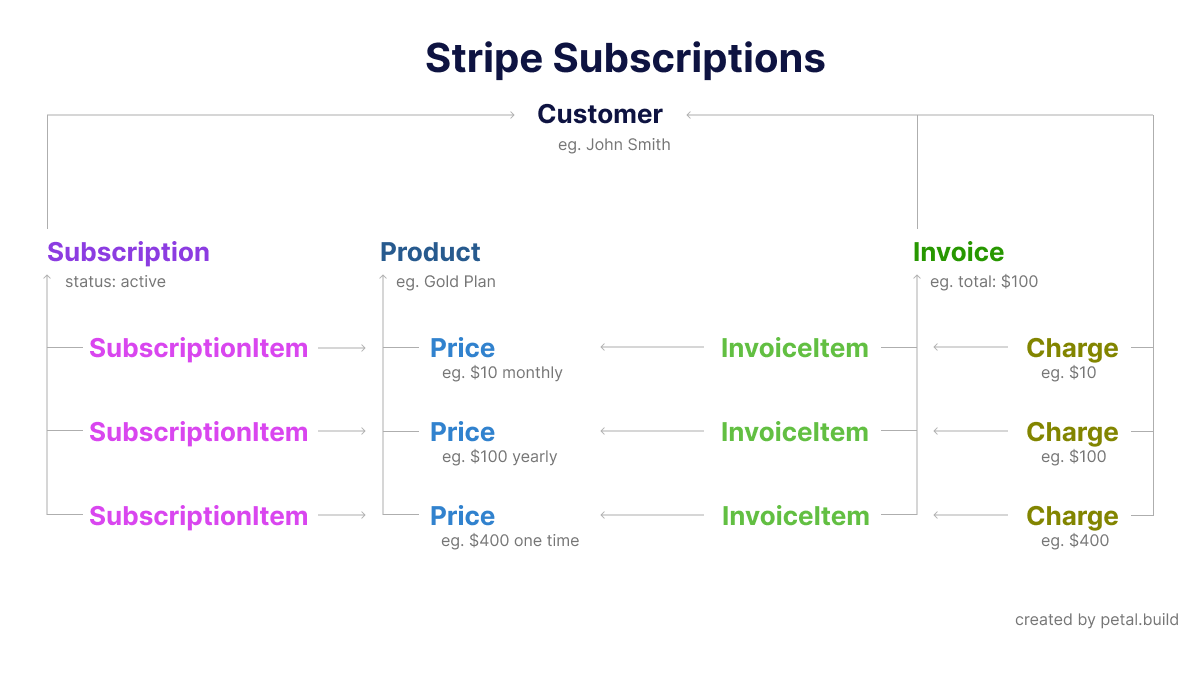
To help understand subscriptions, it's useful to know how Stripe structures its data.
The Stripe schema
As we can see, a Subscription comprises several SubscriptionItems, which each match to a Price. This allows you a large amount of flexibility in constructing your subscription plans. Think of a plan in terms of a collection of Prices.
Thus, when you want to define plans for your users to buy, you:
* Create a Product in Stripe
* For that product, you create any number of prices - usually a monthly and yearly price
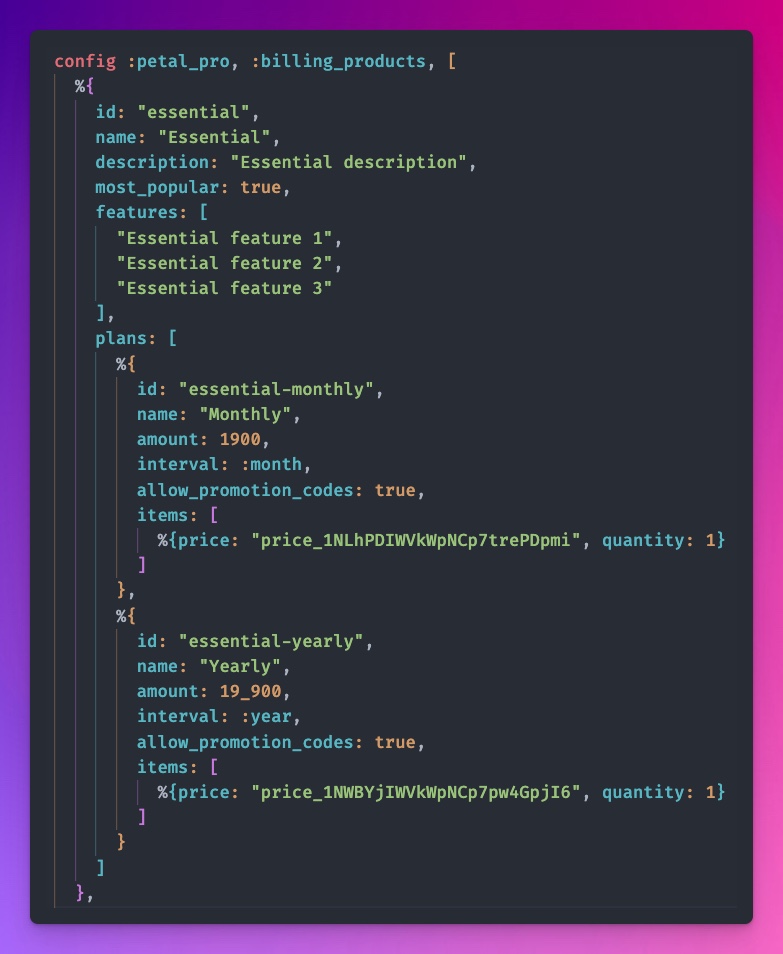
* You copy the Price IDs and add them to your Petal Pro config as `items`:
In config.exs, you can add your plans
Usually, you will only have one "item" in there. But sometimes you may want to add two - eg. you might have a once-off price as well as a monthly price.
Quantity will also mostly stay the same - 1. If your plans have a number of seats - then `quantitiy` would represent that variable.
The other info in the config is mainly for your front-end UI. The Stripe Prices are the main thing you want to copy across from Stripe.
### How our config is used to create checkout sessions
* Explain what a checkout session is, how our items are passed in as line items and how it generates a hosted checkout page Stripe
* Explain how webhooks work and how we use Oban
These docs are a work in progress. Expect more soon! For now follow the ["Adding a subscription" guide](/petal-pro-documentation/v2.2.0/guides/adding-a-subscription.md).